Video API
One request makes a video. Name a character and it keeps that character's look, the same way the Image API does.
Generate
curl -X POST https://api.aicu.ai/v1/video/generate \
  -H "Authorization: Bearer $AICU_API_KEY" \
  -H "Content-Type: application/json" \
  -d '{
    "model": "wan3.0-video",
    "prompt": "@MeiSoleil waves at the camera on a beach at sunset",
    "resolution": "720p",
    "seconds": 5
  }'
{
  "id": "5f9c…",
  "status": "processing",
  "ap_cost": 7000,
  "status_url": "https://api.aicu.ai/v1/video/status/5f9c…",
  "url": "https://api.aicu.ai/v1/video/file/5f9c…"
}
Generation takes longer than one HTTP request allows, so the call returns 202 immediately with an id. Poll status_url until it says completed, then fetch url.
curl "https://api.aicu.ai/v1/video/status/$ID" -H "Authorization: Bearer $AICU_API_KEY"
{
  "id": "5f9c…",
  "status": "completed",
  "ap_cost": 7000,
  "url": "https://api.aicu.ai/v1/video/file/5f9c…",
  "download_url": "https://api.aicu.ai/v1/video/d/…",
  "download_expires_at": "2026-12-03T00:00:00.000Z"
}
curl -L "https://api.aicu.ai/v1/video/file/$ID" -H "Authorization: Bearer $AICU_API_KEY" -o out.mp4
status is processing, completed or failed. Polling every 10 seconds is plenty; a 5-second clip usually lands in one to five minutes.
Give the video to someone
url needs your API key, so it is for your program, not for a person. A finished job also comes with download_url, which opens without a key — that is the one to put in a mail, a chat message or a web page.
# Opens in a browser. No key, no header.
open "$(curl -s "https://api.aicu.ai/v1/video/status/$ID" \
  -H "Authorization: Bearer $AICU_API_KEY" | jq -r .download_url)"
Add ?dl=1 to make the browser save the file instead of playing it.
The link expires 30 days after the video is made; download_expires_at is the exact moment. After that, and for a token that never existed or has the wrong shape, the link returns the same 404 — it does not say which, so a link you share leaks nothing about the others.
Keep a copy of anything you need for longer. The link is a way to hand the result over, not storage.
Choose a model
model picks the video model. Leave it out and you get gemini-omni-1.1-flash, so existing calls keep working.
model | From | Resolutions | Seconds | Good for |
|---|---|---|---|---|
gemini-omni-1.1-flash (default) | 360p / 720p / 1080p | 5 to 10, decided by the model | Value at 720p. You are charged for the length it actually made. | |
wan3.0-video | Alibaba | 480p / 720p / 1080p | 2 to 10 | Quality, with sound. Keeps a character from one reference image. |
wan3.0-video-prime | Alibaba | 480p / 720p / 1080p | 2 to 10 | The same quality in a third to half the time. |
The current list, with each model's limits and rates, is always in GET /v1/models (type: "video"). A model or resolution outside these ranges returns 400 rather than being quietly rounded.
Fields
| Field | Meaning |
|---|---|
model | See above. Default gemini-omni-1.1-flash. |
prompt | What happens in the shot. An @Name anywhere in the text selects that character and is removed from the prompt. |
character | Same as writing @Name, as a separate field. A registered character supplies its own reference image; your own character's name needs reference_image. |
reference_image | Base64 image used as the character reference. Up to about 8 MB. |
first_frame | Base64 image that becomes the first frame, for animating a storyboard. Cannot be combined with reference_image. |
last_frame | Base64 image that becomes the last frame. Use it together with first_frame and the model fills the motion between them. |
resolution | Depends on the model (table above). Default 720p. This sets the price. |
seconds | Depends on the model (table above). Default 5. This sets the price. |
aspect_ratio | 16:9 (default), 9:16, or 1:1 where the model supports it. With first_frame the images decide the shape. |
visibility | public lists the result with its credit line; private keeps nothing. |
First and last frame
Give the start and the end, and let the model find the way between.
{
  "model": "wan3.0-video",
  "first_frame": "<base64 of the opening shot>",
  "last_frame": "<base64 of the closing shot>",
  "prompt": "the camera slowly pulls back as she turns toward the window",
  "seconds": 5
}
Two frames from the same contact sheet (below) make a natural pair: same lighting, same character, different moment.
Price
Per second of finished video, by model and resolution. 1 USD = 10,000 AP. The current rates are on the pricing page and in GET /v1/models (type: "video"); rate changes are announced on News seven days ahead.
AP is held when the job starts and returned in full if the job fails or times out. A failed generation costs nothing. When the model decides the length, it holds the maximum and returns the difference once the video is done. You can have three jobs running at once per key.
Scope
Video needs the video scope. It is not included in older keys: a key you issued for images alone was never meant to spend at video rates. Add it from your keys page, or issue a new key, which gets every released public scope.
Calling without it returns 403 forbidden_scope with required_scope: "video".
Characters
A registered character needs nothing but its name.
{ "prompt": "@SakiNoire walks through a neon backstreet at night", "seconds": 5 }
Your own character needs one picture of them, exactly as in the Character API.
{ "character": "luc4", "reference_image": "<base64>", "prompt": "sitting at a cafe, typing on a laptop" }

The same reference that produces this still is what keeps the character stable across frames. Put the character's official appearance words in front of the scene; the reference sets the overall look and the words hold the details.
Making a good first frame
A video is only as good as the image it starts from, and the Image API is right here. One technique that works well: ask for a contact sheet, then hand the sheet to the video model.
curl -X POST https://api.aicu.ai/v1/images/generations \
  -H "Authorization: Bearer $AICU_API_KEY" -H "Content-Type: application/json" \
  -d '{"model":"gpt-image-2.5-flare","size":"1024x1536","quality":"medium",
       "prompt":"A 3x3 contact sheet of snapshots a child took on a phone, 9:16. Low angles, feet, the dog’s nose up close, the sky, a palm, a parent seen from below, a toy on the floor. Everyday and lived-in. No text or logos."}'
Asking for a child's photos gives you low angles, because that is where a child's eyes are. Asking for amateur failures gives you camera shake, a thumb over the lens and blown-out backlight. You did not have to describe any of that.
| A child's photos | Amateur failures | A character's own snapshots |
|---|---|---|
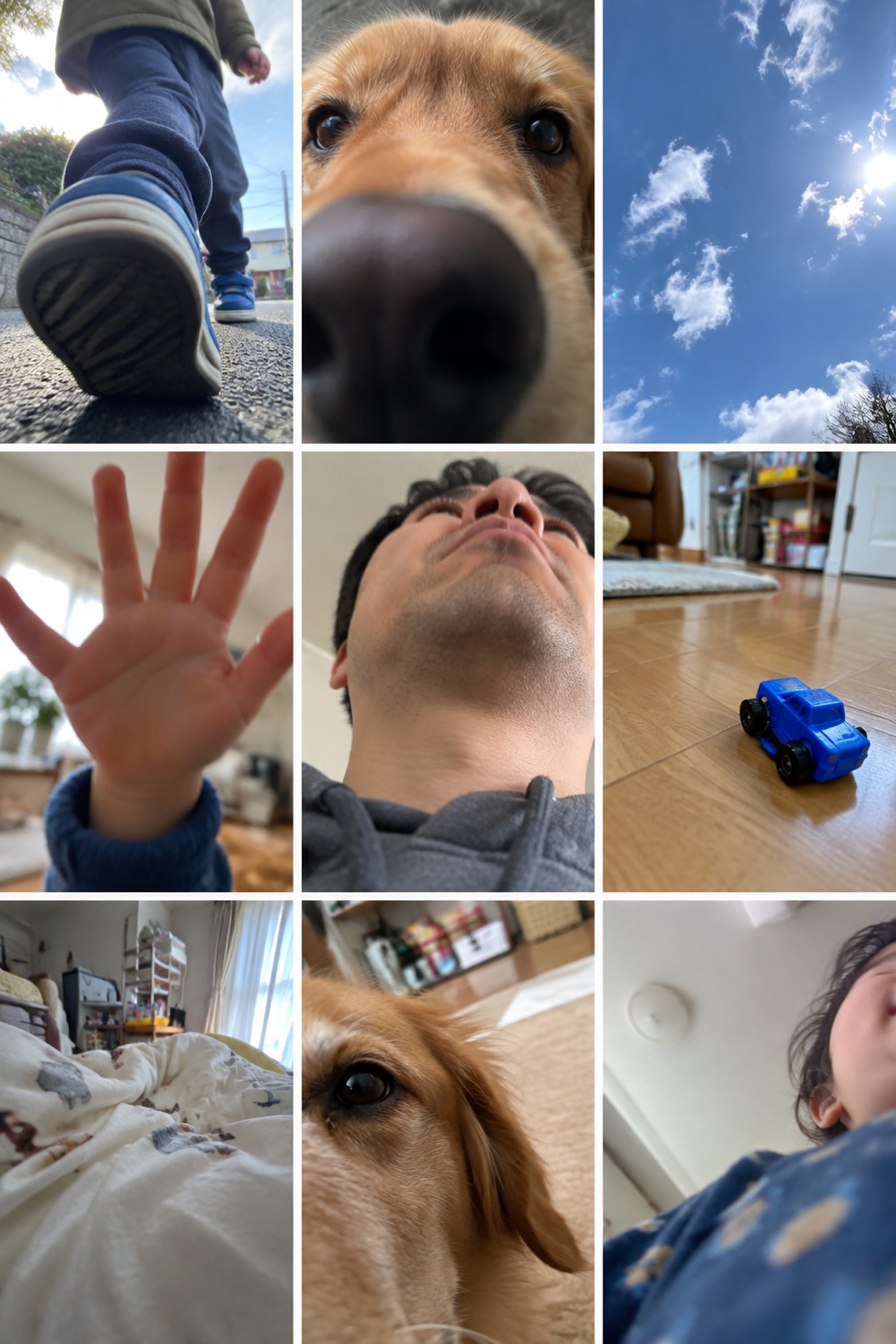 | 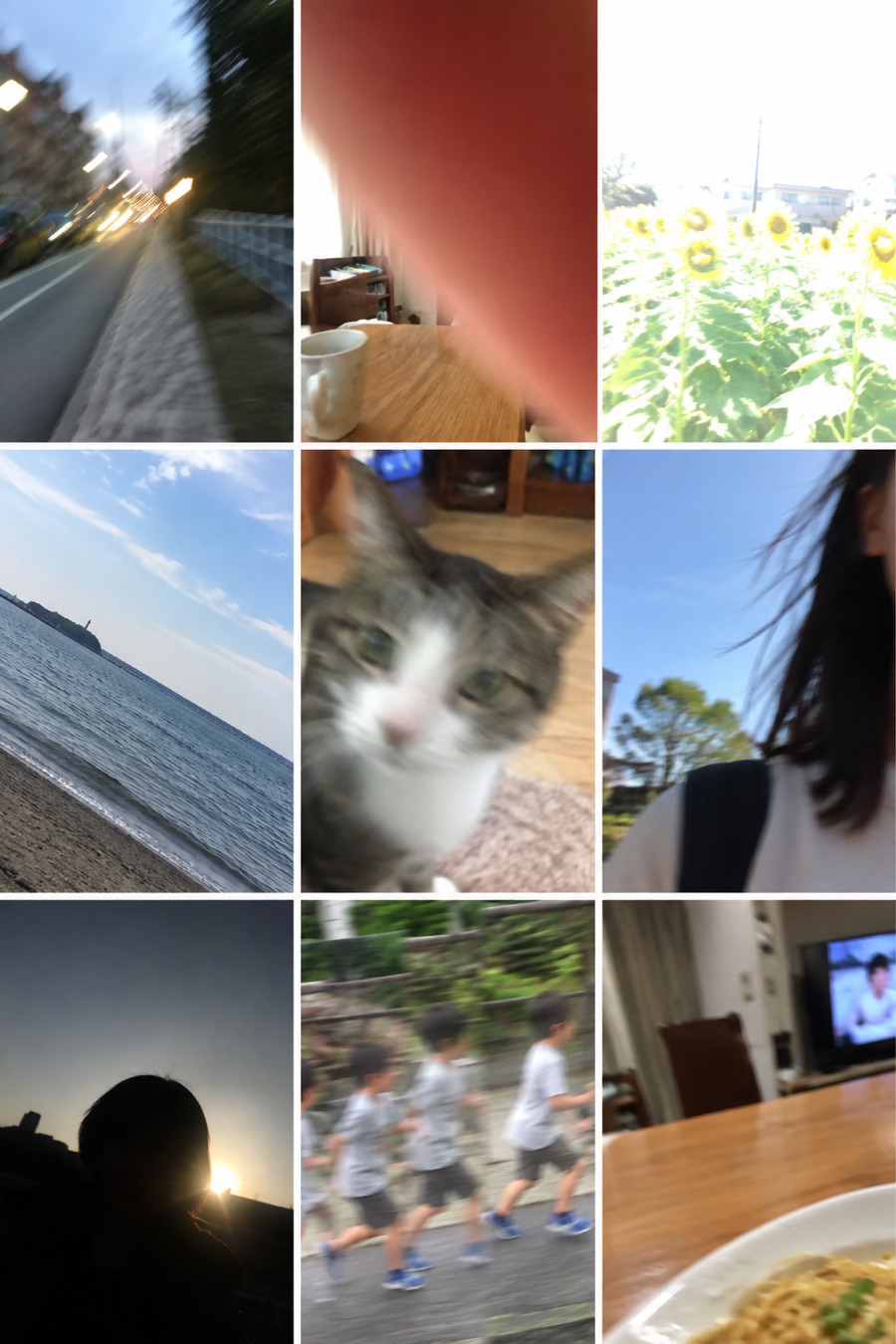 | 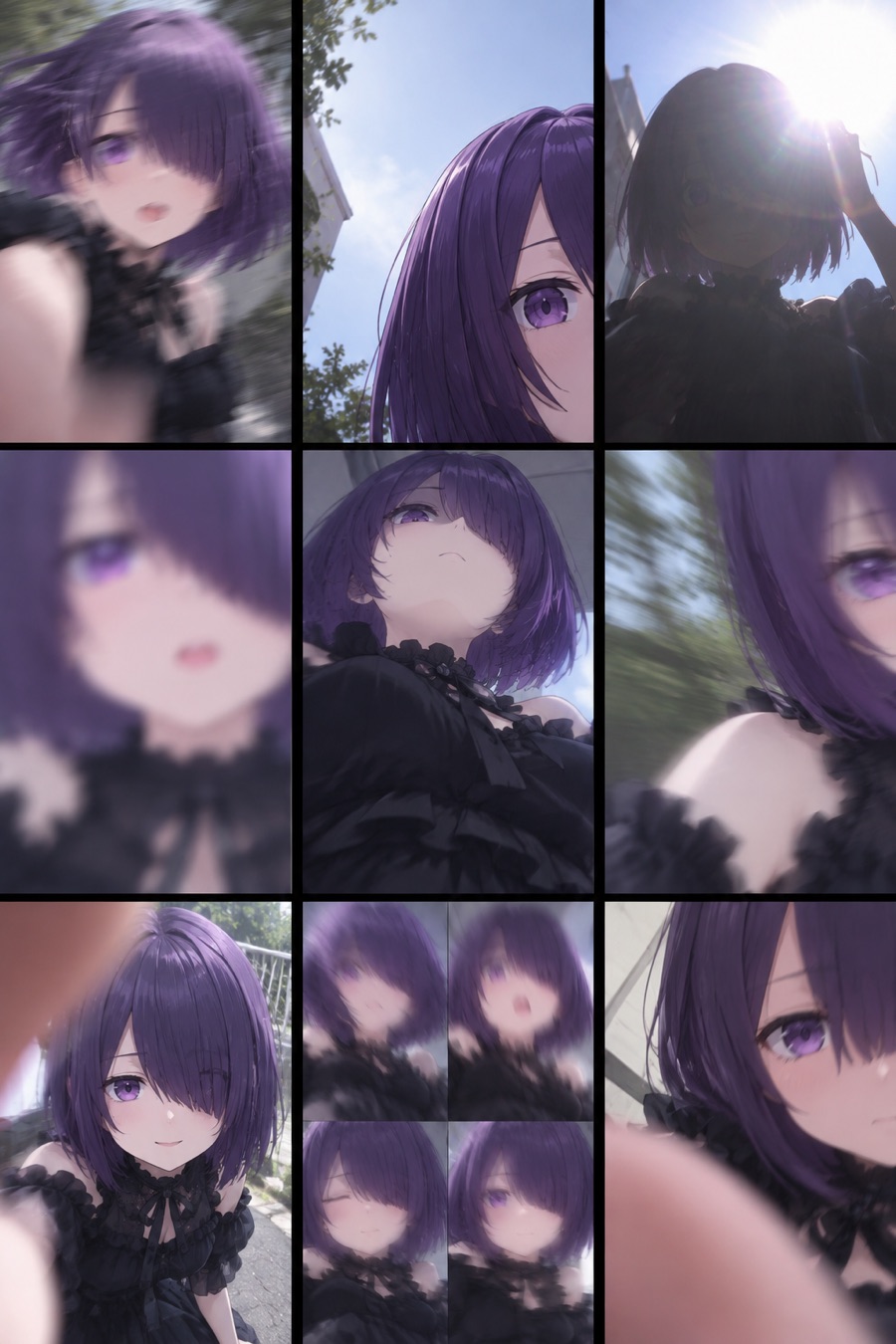 |
Each cell of the sheet is a usable first frame. Pass one as reference_image and describe the motion in prompt.
Errors
| Status | Code | What to do |
|---|---|---|
| 400 | invalid_parameter | Check model, resolution, seconds, or the size of the images |
| 402 | insufficient_ap | Top up. Nothing was started. |
| 403 | forbidden_scope | Add the video scope to the key |
| 429 | rate_limited | Three jobs per key are already running. Wait for one to finish. |
| 5xx | generation_failed | Retry. The held AP was already returned. |
Support
- Reply to any mail from api@aicu.ai, or use https://aicu.ai/contact
- Status: https://api.aicu.ai/status · News and price notices: https://api.aicu.ai/news
© 2026 AICU Inc.