Key visuals with Wan 3.0 (3) — From white to logo, photo, loop and back to white: chaining FLF2V into one video

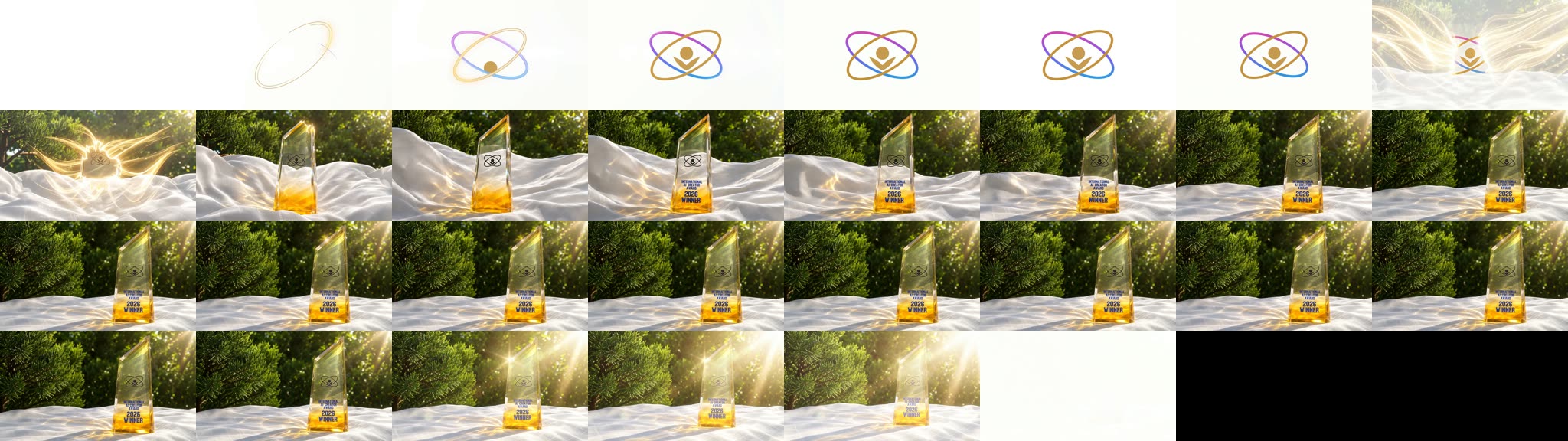
In (1) we made 10 teasers with prompts alone, and in (2) we used FLF2V, which fixes the first and last frames, to make loop footage and a transition to the logo. In (3), we finish them into a single video with a planned structure.
White → logo animation → photo (center) → photo (right) → loop → white. Because it starts and ends on white, it connects directly to the videos or slides before and after it on a venue monitor.
Where it is used
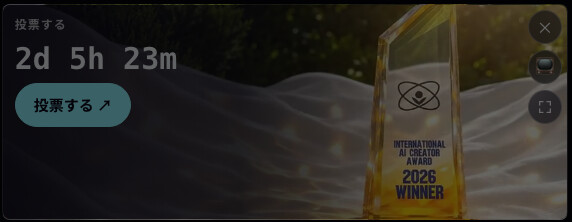
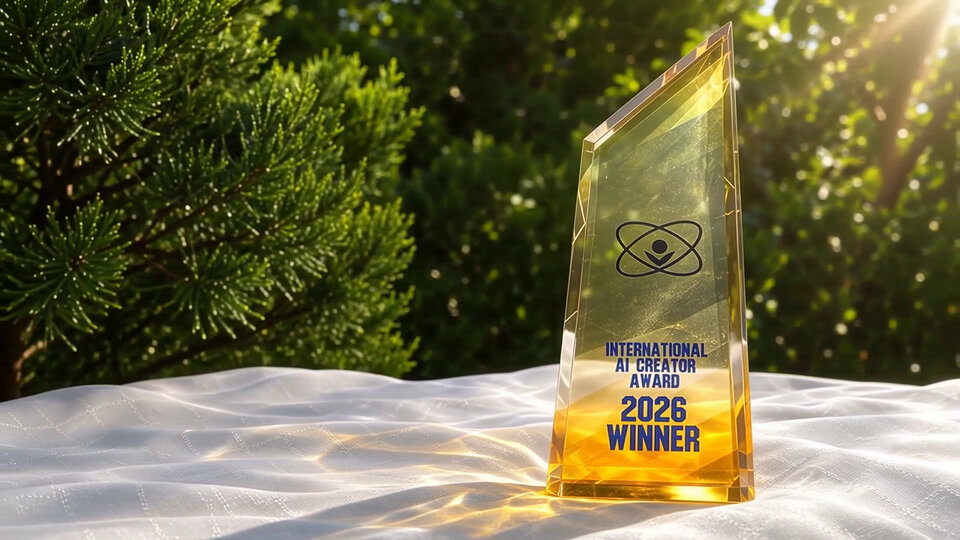
There's a reason this structure ends with "trophy on the right, empty space on the left." The International AI Creator Award gallery (aicu.ai/award/2026/gallery) plays trophy footage in its "Vote" card. The remaining time and a button are on the left, and the trophy is on the right. The video itself had to leave room for the text.
Structure
First, decide the "first frame" and "last frame" of each segment. FLF2V lets you specify the end frames, so if the ends of the segments match, you can later join them with just a short crossfade.
| First frame | Last frame | How it's made | |
|---|---|---|---|
| ① Logo animation | White | Logo | FLF2V |
| ② Logo to photo | Logo | Photo (center) | FLF2V |
| ③ Center to right | Photo (center) | (not specified) | First frame only. Move only the camera |
| ④ Loop | Last frame of ③ | Last frame of ③ | FLF2V |
| ⑤ To white | Last frame of ③ | White | FLF2V |
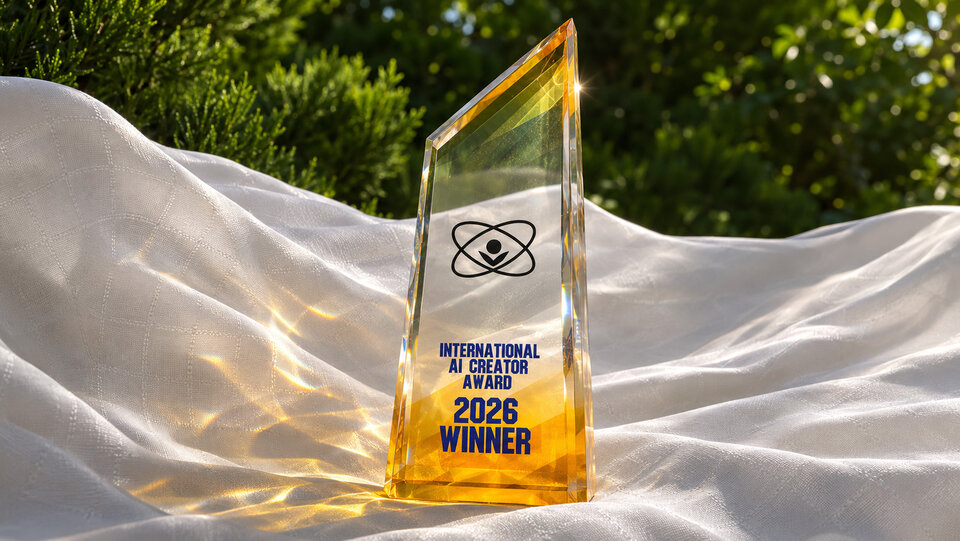
The source material is two images: the logo on white, and a photo with the trophy in the center.
| Logo | Photo (center) |
|---|---|
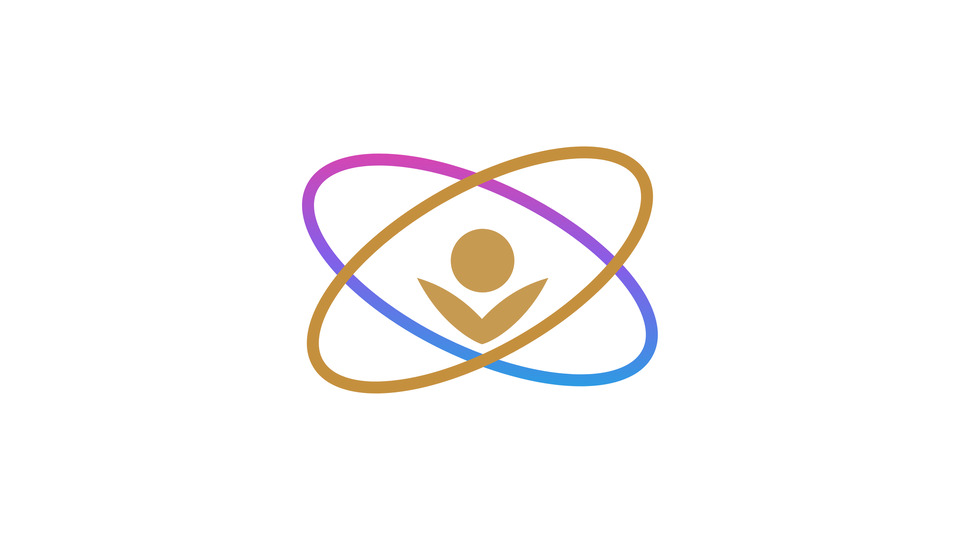 |  |
As in (2), the logo follows the International AI Creator Award rules (place it on white, don't change its colors or aspect ratio, don't let AI change its shape).
The call is the same as in (2), using the script wan-flf2v.py. If you omit --last, only the first frame is passed. One API key can run at most 3 jobs at a time, so the script waits for a free slot before starting the 4th and later jobs.
① From white to the logo
On a clean white background, thin lines of golden and gradient light draw two crossing orbits,
and a small golden figure rises at their center, forming the emblem. Smooth, elegant motion.
Fixed camera.

Golden lines draw the orbits one at a time, and the mark comes together in about 2 seconds. The last frame measures PSNR 37.8 dB against the original logo, so as in (2), we replace it with the original image (we insert a still in "Joining" below).
② From the logo to the photo (center)
The emblem on the white background dissolves into soft golden light that flows outward like silk,
forming waves of white cloth. Green trees appear behind, and the light gathers at the center of the
frame into a crystal trophy standing in the sunlight. The camera slowly pulls out.

③ From center to right: the trophy stays put, only the camera moves
We failed here once.
What didn't work: passing two images with different compositions at the ends
At first we used FLF2V with the photo that has the trophy in the center and the photo that has it on the right (the one used in (1)) at the two ends. Even when we wrote "the camera pans right and the trophy doesn't move," the result looked like this.

Two trophies appear. The trophy's angle and size differ between the two photos, so the model couldn't explain the change by moving the camera, and instead joined the ends by overlapping two trophies and swapping them. Another attempt with a different prompt also doubled up in the same way, if only briefly. And the version before those had the trophy itself sliding to the right across the cloth (because the prompt said "the trophy glides from the center to the right").
In other words, the two ends of FLF2V must be two images that could both appear when filming the same scene with the same camera.
What worked: passing only the first frame
We didn't pass a last frame. We used only the centered photo as the first frame and described only the camera movement. We knew from (1) that with only a first frame, the model follows camera instructions well.
The camera trucks slowly and smoothly to the left. The crystal trophy stays perfectly still in place
on the white cloth; only the camera moves, so by the end the trophy sits on the right side of the
frame, leaving open space on the left. The cloth ripples gently and golden caustic light shifts across it.

The trophy stays single, and the camera moves as if circling around it until the trophy settles on the right. Trees in the background come in from the left, leaving space on the left side for text.
Since the last frame wasn't specified, we extract the last frame of the finished video and use it as the end frame for ④ and ⑤.
# Extract the last frame as an image
ffmpeg -sseof -0.1 -i s3-camera-only.mp4 -update 1 right.png
④ Loop
Pass the last frame of ③ as both the first and the last frame (made the same way as the loop in (2)).
The white cloth ripples gently in the breeze and golden caustic light drifts slowly across it,
the leaves sway softly, then everything settles back to exactly where it began. A soft lens flare
pulses once at the tip of the trophy. The trophy stays perfectly still. Fixed camera.

For uses like the gallery's "Vote" card, these 5 seconds can play on repeat as is. In this video we repeated it twice. Change the number of repetitions to adjust the overall length.
⑤ To white
The sunlight grows stronger and warmer until the whole scene, the trophy, the cloth and the trees,
fades softly into pure white light. The trophy stays perfectly still. Fixed camera.

The light grows stronger and the whole scene melts into white. The last frame measured 51.1 dB against a pure white image, which is practically white itself.
Joining
The segments are joined with 0.3-second crossfades. At the logo, we insert the original logo image for 1 second. ① dissolves into the original image at its end, and ② dissolves out of the original image at its start, so the logo you see holding still on screen is always the original image.
Writing the ffmpeg filter by hand gets long, so we made a script that joins videos and stills just by listing them: assemble.py (it only calls ffmpeg; standard library only)
curl -O https://api.aicu.ai/docs/samples/wan-teaser/assemble.py

python3 assemble.py --out keyvisual.mp4 --size 1920x1080 --fade 0.3 --crf 18 \
  still:white-1920.png:0.6 \
  s1-white-logo.mp4 \
  still:logo-1920.png:1.0 \
  s2-logo-center.mp4 \
  s3-camera-only.mp4 \
  s4-loop.mp4 s4-loop.mp4 \
  s5-right-white.mp4 \
  still:white-1920.png:0.8
For videos, write the path; for stills, write still:path:seconds.
There are two points for making the logo look clean.
- Output at 1080p, and make the logo still directly from the original PNG at 1920×1080. The generated videos are 720p and get upscaled, but the logo still doesn't need to be. Going through JPEG, or downscaling and then upscaling, blurs the thin orbit lines
- Don't compress too hard. Compression noise stands out on thin lines and white backgrounds. Use around
--crf 18
The result is 30.3 seconds at 1920×1080. The audio is removed, so finish it by adding music.
Measuring the seams
At each seam between segments, we measured how similar the last frame of the previous video and the first frame of the next video are, using PSNR (higher means more similar).
| Seam | Previous last vs. next first |
|---|---|
| ② → ③ (photo, center) | 41.7 dB |
| ③ → ④ (last frame of ③) | 37.7 dB |
| ④ loop (last → first) | 41.8 dB |
| ④ → ⑤ | 41.7 dB |
For reference, comparing the last frame of ② with the original photo gives only 27.3 dB, because the fine patterns of the leaves and cloth are redrawn. Even so, the ends of two videos made from the same image are very similar, at 41.7 dB. Wan redraws the same image in almost the same way every time, so generated videos join cleanly with each other.
Only ③ → ④ is lower, at 37.7 dB, because we passed ③'s (generated) last frame as is, and ④ redraws it once more. A 0.3-second crossfade makes the seam invisible.
What we learned
| Result | |
|---|---|
| FLF2V ends | Use two images that could both appear when filming the same scene with the same camera. Passing photos with different angles or sizes makes the subject double up |
| Camera movement | It comes out more faithfully if you leave the last frame open and describe the camera movement with only a first frame. Use the resulting last frame as the end of the next segment |
| Joining | Generated videos can be joined directly (41.7 dB). Where an original image (logo, photo) is shown, dissolve with a short crossfade |
| Logo quality | 1080p output, a still made directly from the original PNG, CRF around 18 |
| Usage | Starts and ends on white. Change the length with the number of loop repetitions. The 5-second loop can also be used as is as a web card background |
Cost summary
| Videos | AP | |
|---|---|---|
| Used (①②③④⑤) | 5 | 35,000 AP |
| Redone (3 failed attempts at ③, old ⑤) | 4 | 28,000 AP |
| Total (720p, 5 seconds, 7,000 AP each) | 9 | 63,000 AP (about $6.30) |
Joining (ffmpeg) costs nothing. Failed generations are not charged, but videos that "didn't turn out as intended" are. Budget with redos in mind.
Across the three posts in the series we generated 22 videos, for a total of 161,000 AP (about $16.10).
⭐︎ Prices are as of publication (November 12, 2026). You can check current rates on Pricing and with GET /v1/models.
Related
- Key visuals with Wan 3.0 (1) — 10 teasers from one trophy photo, using the official prompt guide
- Key visuals with Wan 3.0 (2) — Loop footage and a logo transition with FLF2V
- Video API — How to call it, first and last frames, and specifying characters
- Alibaba Cloud: Text-to-video / image-to-video prompt guide
Special Thanks to Alibaba Wan 3.0