Key visuals with Wan 3.0 (2) — Loop footage and a logo transition with FLF2V


In (1), we used one trophy photo as the first frame and made 10 teaser videos with prompts alone. In (2), we also specify the last frame. You decide the beginning and the end, and let the model make what comes in between (FLF2V: First-Last-Frame to Video).
We made three things: loop footage that can play continuously on a venue monitor, a transition in which the trophy turns into the award mark, and the reverse, an opening. Finally, we joined the three into a 17-second teaser.
Setup
| Model | wan3.0-video, 720p, 5 seconds |
| Input | The same trophy photo as in (1), and an image with the award mark on a white background |
| Generation | 3 videos (loop, photo to mark, mark to photo). 21,000 AP in total, 111–132 seconds each |
| Post-processing | ffmpeg (joining, crossfades, replacing the logo). No cost |
Calling the API
Pass the images as base64 in first_frame and last_frame. Everything else is the same as in (1).
curl -X POST https://api.aicu.ai/v1/video/generate \
  -H "Authorization: Bearer $AICU_API_KEY" \
  -H "Content-Type: application/json" \
  -d "{
    \"model\": \"wan3.0-video\",
    \"first_frame\": \"$(base64 -i trophy.jpg)\",
    \"last_frame\": \"$(base64 -i logo-frame.jpg)\",
    \"prompt\": \"The crystal trophy glows brighter and dissolves into streams of golden light ...\",
    \"resolution\": \"720p\",
    \"seconds\": 5
  }"
Poll GET /v1/video/status/{id} every 10 seconds with the returned id, and when it becomes completed, fetch the mp4 with GET /v1/video/file/{id} (see Video API for details).
You can also download a script that does submitting and receiving one video in a single step. It uses only the standard library and by default only estimates the cost: wan-flf2v.py
curl -O https://api.aicu.ai/docs/samples/wan-teaser/wan-flf2v.py
python3 wan-flf2v.py --first trophy.jpg --last logo-frame.jpg --out to-logo.mp4 \
  --prompt "The crystal trophy glows brighter and dissolves into streams of golden light ..." --apply
Make the two images the same size. Here both are 1671×941.
Example 1: Loop footage
Pass the same image at both ends
Pass the same photo as the first and last frame, and write "it moves, then returns to where it was" in the prompt.
The white cloth ripples gently in the breeze and golden caustic light drifts slowly across it,
then everything settles back to exactly where it began. A soft lens flare pulses once at the tip
of the trophy. Fixed camera.

The first frame and the last frame come out nearly identical, so the seam is barely noticeable on repeat (the video above is set to loop).
Compared with making a loop in post-processing only
You can also turn an existing video into a loop. We tried it with 03 from (1) (fixed camera, shimmering radiance) and measured how similar the first and last frames are with PSNR (higher means more similar).
| Method | Length | Seam PSNR | Good for |
|---|---|---|---|
| Repeat 03 from (1) as is | 5 seconds | 13.2 dB | Jumps visibly at the seam |
| Crossfade (overlap the last second onto the start) | 4 seconds | 31.9 dB | Formless motion such as light or water |
| Ping-pong (forward then reverse) | 10 seconds | 35.5 dB | Slow motion. Not suited to motion that obviously looks reversed (flowing water, walking people) |
| FLF2V (same image at both ends) | 5 seconds | 41.9 dB | The most natural if you are making something new |
You can make the crossfade and ping-pong versions with ffmpeg.
# Crossfade: use 1–5 s as the body and dissolve into 0–1 s over the last second (gives a 4-second loop)
ffmpeg -i 03.mp4 -filter_complex "[0:v]split[a][b];[a]trim=1:5,setpts=PTS-STARTPTS[body];[b]trim=0:1,setpts=PTS-STARTPTS[head];[body][head]xfade=transition=fade:duration=1:offset=3,format=yuv420p[v]" -map "[v]" -an xfade-loop.mp4

# Ping-pong: forward playback followed by reverse playback (10 seconds)
ffmpeg -i 03.mp4 -filter_complex "[0:v]split[f][r];[r]reverse[rv];[f][rv]concat=n=2:v=1[v]" -map "[v]" -an pingpong.mp4
| Crossfade | Ping-pong |
|---|---|
Using it as loop footage
Drop the audio (-an in the ffmpeg commands above). Wan 3.0 adds sound even when you don't ask for it (see (1)), and even if the picture connects, the sound cuts off at the seam. Play music separately on the venue or streaming side.
To use it as a web page background, add muted so it can autoplay.
<video src="loop.mp4" autoplay muted loop playsinline></video>
For long playback on signage or a monitor, make a single mp4 repeated to the length you need.
# Repeat a 5-second loop 60 times = one 5-minute file (no re-encoding)
ffmpeg -stream_loop 59 -i loop.mp4 -c copy loop-5min.mp4
Example 2: A transition to the logo
The last frame is the logo
For the last frame, we passed an image with the award mark centered on a white background.
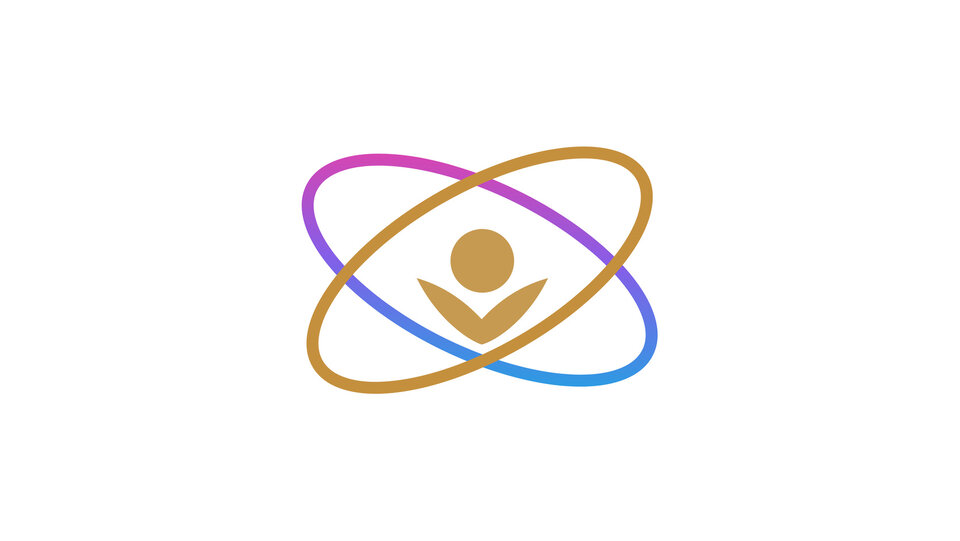
When you use a logo, follow its owner's rules. For the International AI Creator Award mark there were three: place it on white, don't change its colors or aspect ratio, and don't let AI change its shape.
The crystal trophy glows brighter and dissolves into streams of golden light. The light swirls
into two glowing orbits around a small figure, and the background fades to clean white as the
emblem settles at the center. The camera slowly pushes in.

The trophy melts into streaks of light, which gather into the shape of the two orbits and become the mark. Partway through there is a moment where the mark floats in 3D and casts a shadow, but at the end it lands cleanly on the image we passed.
Replace the last frame with the original image
Even though it lands, the generated last frame is not the original image itself. On the left is the generated last frame; on the right is the original image we passed.
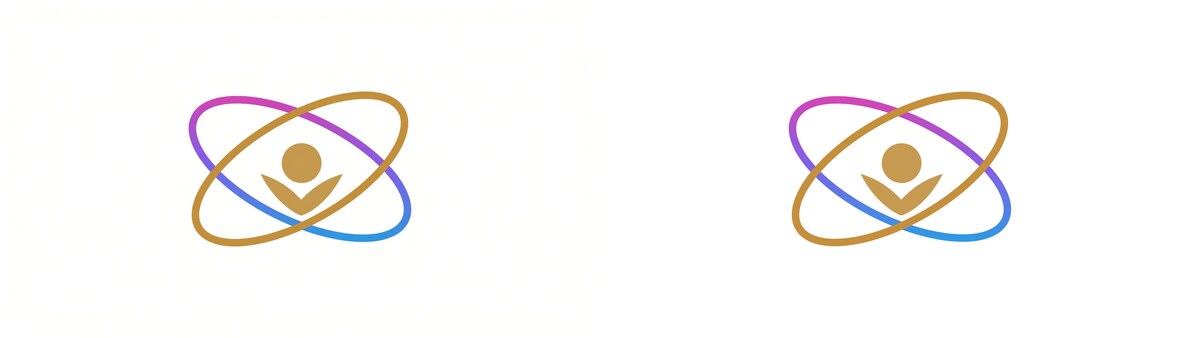
The shape is almost the same, but the background turns slightly cream-colored and the colors shift a little (PSNR 37.7 dB). Since the logo has a "don't let AI change its shape" rule, we dissolve into the original image over the last 0.5 seconds and then hold it for 2 seconds. It's fine as a visual effect for the mark to break apart in the middle frames, but what appears at the end is the original image.
# Dissolve the last 0.5 s of the generated 5 s into the original image (resized to the video's 1280x720) and hold for 2 s
ffmpeg -i to-logo.mp4 -loop 1 -t 2.5 -framerate 24 -i logo-1280x720.png -filter_complex \
  "[0:v]fps=24,format=yuv420p,setsar=1[a];[1:v]format=yuv420p,setsar=1[b];[a][b]xfade=transition=fade:duration=0.5:offset=4.5[v];[0:a]apad=pad_dur=2,afade=t=out:st=5:d=2[au]" \
  -map "[v]" -map "[au]" -c:v libx264 -pix_fmt yuv420p -c:a aac -shortest to-logo-final.mp4
After the replacement, the last frame measured 42.1 dB against the original image (the remaining difference comes from mp4 compression).
Example 3: An opening that starts from the logo
Swap the first and last frames and you get an opening that starts with the mark and becomes the photo. Here too, we show the original image for the first second before dissolving into the generated video.
The emblem on the white background breaks into soft golden light. The light spreads across the
frame like silk, forming waves of white cloth, green trees appear behind, and the light gathers
into a crystal trophy standing in the sunlight. The camera slowly pulls out.

Joining the three into one
The end frames of these three videos match. The end of the opening, the start and end of the loop, and the start of the transition are all the same trophy photo. So a 0.3-second crossfade is all it takes to join them seamlessly.
ffmpeg -i from-logo-final.mp4 -i loop.mp4 -i to-logo-final.mp4 -filter_complex \
  "[0:v]fps=24,format=yuv420p,setsar=1[a];[1:v]fps=24,format=yuv420p,setsar=1[b];[2:v]fps=24,format=yuv420p,setsar=1[c];[a][b]xfade=transition=fade:duration=0.3:offset=5.7[ab];[ab][c]xfade=transition=fade:duration=0.3:offset=10.4[v]" \
  -map "[v]" -an chain.mp4
Mark → trophy → shimmering light → mark, in 17 seconds. The audio is removed, so finish it by adding music. Repeat the loop in the middle a few times and you can make it any length.
If you decide the first and last frames in advance, you can assemble separately made videos like parts. That was the most practical thing about FLF2V.
What we learned
| Result | |
|---|---|
| Loops | Passing the same image at both ends is the most natural (seam 41.9 dB). In post-processing, ping-pong (35.5 dB) or a crossfade (31.9 dB) |
| Loop audio | It cuts off at the seam, so drop it. Play music separately |
| Transition to the logo | It lands cleanly on the last frame, but not on the original image itself (37.7 dB). Replace the end with the original image |
| Assembling as parts | If the end frames match, a short crossfade is all it takes to join them |
Cost summary
| 3 generations (720p, 5 seconds) | 7,000 AP × 3 = 21,000 AP (about $2.10) |
| Post-processing (ffmpeg) | 0 |
Even together with the 10 videos from (1) (77,000 AP), the total is 98,000 AP (about $9.80).
⭐︎ Prices are as of publication (November 12, 2026). You can check current rates on Pricing and with GET /v1/models.
Related
- Key visuals with Wan 3.0 (1) — 10 teasers from one trophy photo, using the official prompt guide
- Key visuals with Wan 3.0 (3) — From white to logo, photo, loop and back to white: chaining FLF2V into one video
- Video API — How to call it, first and last frames, and specifying characters
- Alibaba Cloud: Text-to-video / image-to-video prompt guide
Special Thanks to Alibaba Wan 3.0